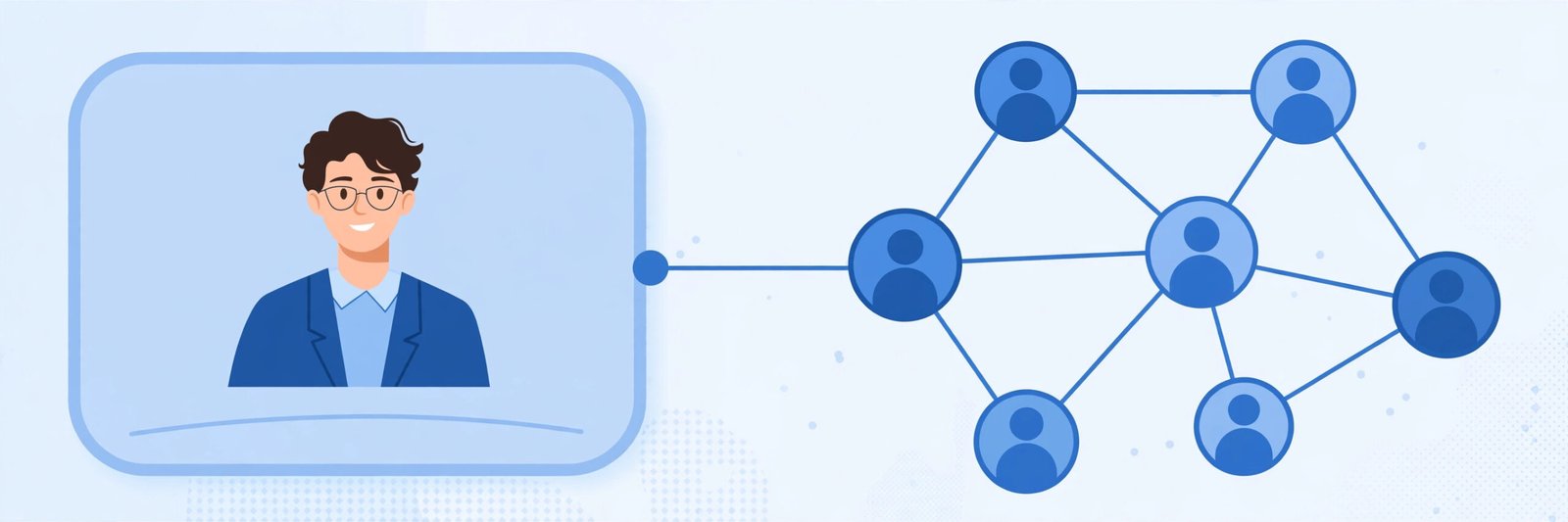
Most freshers create a LinkedIn account, add their college name, and wait. Nothing happens. The truth is different: recruiters search LinkedIn daily for interns and entry-level candidates, but only contact profiles that are complete, clear and easy to find. That is why the right LinkedIn profile tips for freshers focus on one goal: showing up in searches and looking trustworthy within the first few seconds.
You do not need experience for a strong profile — only clarity about your skills, proof of work and no empty sections. The linkedin profile tips for freshers below follow the order a recruiter reads your profile, so you can fix yours today.
Why Recruiters Rely on LinkedIn for Fresher Hiring
Recruiters rarely read every resume for an opening. They search LinkedIn by skills and keywords — “Java fresher”, “React intern” — and open matching profiles. If your profile lacks those words, you never appear; if it looks incomplete, you get skipped. A complete profile is your entry ticket to being found.
Tip 1: Use a Clear, Professional Profile Photo
Your photo is the first thing anyone sees — in search results and connection requests alike. Use a recent photo with your face clearly visible, a plain background and neat clothing. Avoid group photos cropped to one face, heavy filters and sunglasses; a friend, a plain wall and daylight are enough. A clear photo makes your profile look real, and real profiles get calls — the quickest of all linkedin profile tips for freshers to apply.
Tip 2: Write a Headline That Says More Than “Student”
“Student at XYZ College” is the most common — and least useful — fresher headline. Yours should say what you can do and what you are looking for. Use this formula:
Role you want + your main skills + one proof or goal
Examples:
- “Aspiring Software Developer | Java, SQL, DSA | Final-Year B.Tech Student”
- “Frontend Developer Fresher | React, JavaScript | Portfolio in Featured Section”
- “Data Analyst Enthusiast | Python, Excel, Power BI | Open to Internships”
This is one of the most powerful linkedin profile tips for freshers, because your headline appears under your name in search results, comments and connection requests.
Tip 3: Use the Banner and Featured Section Smartly
The banner — the wide image behind your photo — is free space most freshers waste; a simple one naming your field, such as “Aspiring Web Developer”, makes your profile look intentional. The Featured section matters even more: add your portfolio website, your best project’s live link, your GitHub profile and any genuine certificate. This gives recruiters instant proof of work — what separates your profile from hundreds of identical ones.
Tip 4: Write an About Section in Your Own Words
Keep it to four or five short lines, in the first person, like a normal introduction:
- Who you are and what you studied
- Your strongest skills, honestly stated
- What you have built, or where you interned
- What kind of role or internship you are looking for
Do not copy a sample from the internet — recruiters recognise copied text instantly. Simple lines in your own English sound more genuine, and among all linkedin profile tips for freshers, this one makes your profile sound like a person, not a form.
Tip 5: Fill Experience, Projects and Education Properly
Add every real experience: internships, freelance work, college roles, major projects. Under each, note what you did and which tools you used, and add project links — live demo and code — in the Projects section.
Be honest about your part in team projects: “built the login module and database design” convinces far more than claiming the whole project, and it protects you in interviews, where detailed questions follow.
Tip 6: Add Skills Recruiters Actually Search For
The Skills section feeds LinkedIn’s search. Read five or six job descriptions for roles you want and note the skills that repeat — those are the words recruiters type. Add the ones you genuinely have, strongest first, and pin your top three. Ask classmates, teammates or mentors who have seen your work to endorse skills or write a short recommendation — one honest recommendation from a teacher beats twenty random endorsements.
Tip 7: Grow a Relevant Network, Slowly and Politely
Connections increase your visibility, but quality beats numbers. Start with classmates, seniors, alumni, teachers and people met at events or internships. When sending a request to someone you barely know, add a short note — who you are and why you want to connect; it greatly improves acceptance, yet it is one of the most ignored linkedin profile tips for freshers. Also follow target companies: their pages post openings, and employee posts show the work culture.
Tip 8: Stay Active Without Spamming
You do not need to post daily. One useful post every week or two is enough — a project finished, a concept finally understood, a certificate earned — with two or three honest lines on what you learned. Comment thoughtfully on posts in your field instead of only writing “Congratulations” everywhere; it shows recruiters you are serious and still learning.
Tip 9: Set Your Job Preferences Correctly
In your job-seeking settings, add the roles, locations and work types (onsite, hybrid, remote) you want, and turn on job alerts. You can also signal that you are open to work in two ways: a recruiters-only setting, or a public “Open to Work” photo frame. Searching quietly while studying or interning? Use the recruiters-only option. Finished your studies and searching openly? The public frame is fine.
Common Mistakes Freshers Make on LinkedIn
Most weak profiles fail on the same fixable points — exactly what linkedin profile tips for freshers warn against:
- Leaving sections empty — a missing About section or skills list tells recruiters the profile is not serious.
- Copying the resume word for word — LinkedIn should sound like you, not like a document.
- Using only “Student” as a headline — you become invisible in skill-based searches.
- No photo, or an unprofessional one — both reduce trust immediately.
- Connecting with hundreds of strangers, with no note — it looks like spam and builds no real network.
- Claiming skills and tools never used — the interview will expose this, and the opportunity is lost.
- Creating the profile and never returning — an inactive profile slowly stops appearing in searches.
Frequently Asked Questions
What headline should a fresher use on LinkedIn?
Use the role you want, plus your main skills, plus one proof or goal — for example, “Aspiring Software Developer | Java, SQL | Open to Internships.” Avoid using only “Student” or your college name: recruiters search by skills, not colleges. This is one of the highest-impact linkedin profile tips for freshers.
Should I use the public “Open to Work” photo frame?
Finished your studies and searching openly? The public frame is fine. Still studying or interning and searching quietly? Use the recruiters-only setting instead.
How many connections does a fresher need?
There is no magic number. Classmates, seniors, alumni and teachers in your field are far more useful than thousands of random connections — grow steadily through real interactions, not mass requests. That is the practical side of linkedin profile tips for freshers.
Do recruiters really check LinkedIn profiles of freshers?
Yes. For internships and entry-level roles, recruiters commonly search by skill and location, review profiles and message candidates directly. A complete profile can receive messages even when you are not actively applying.
What should a fresher post on LinkedIn?
Post about what you are genuinely doing: a project completed, a certification finished, a problem solved. Two or three honest lines are enough — regular updates signal that you are active and improving.
Conclusion
None of these linkedin profile tips for freshers requires money, experience or luck. A clear photo, a skill-based headline, an honest About section, real projects, the right skills and a small, relevant network turn a silent profile into one recruiters can find and trust. Spend one focused hour applying them today, and keep the profile updated. Your next opportunity may arrive as a message from a recruiter who found a profile that was ready.