What Is the Technical Skills Section?
The technical skills section is a dedicated area on your resume that lists the specific programming languages, tools, frameworks, databases, and methodologies you master. Think of it as a quick-reference index for recruiters. A hiring manager should be able to look at this section for five seconds and immediately know whether your stack matches their open position.
Instead of writing long sentences about your familiarity with a tool, this section categorizes your knowledge into clean, scannable groups. A disorganized list of 40 different tools thrown together in alphabetical order is incredibly difficult to read. Segmenting your skills shows that you understand how tools relate to one another in a production environment.
Why Recruiters Focus heavily on Your Tech Stack
- What Is the Technical Skills Section?
- Why Recruiters Focus heavily on Your Tech Stack
- Key Categories of Technical Skills to Include
- How Technical Skills Work in the Hiring Process
- Practical Examples of Skill Placement
- Step-by-Step Guide to Optimizing Your Skills Section
- Benefits of a Structured Skills Section
- Limitations to Keep in Mind
- Pros and Cons of Different Layout Formats
- Technical Skills vs. Soft Skills on a Software Resume
- Best Tools to Help You Format Your Resume
- Common Mistakes Users Make
- Frequently Asked Questions
- 1. Should I include HTML and CSS on a backend engineer resume?
- 2. Can I list a skill if I only used it for a single college project?
- 3. How many programming languages should I list?
- 4. Is it necessary to list Git on a software engineering resume?
- 5. Should I separate my skills into “Expert” and “Beginner” categories?
- 6. Do cloud skills like AWS matter for freshers?
- 7. Should SQL be listed as a language or a database skill?
- 8. Does the order of skills matter to an ATS?
- 9. Should I include IDEs like VS Code or IntelliJ in my tools list?
- 10. How often should I update the technical skills on my resume?
- Final Thoughts
Recruiters look at the tech stack on your resume to determine your immediate utility to their team. If a team builds backend services using Java and Spring Boot, hiring an engineer who only knows frontend JavaScript means a long, expensive training period. While companies care about your problem-solving abilities, they also want to know how quickly you can start contributing to their codebase.
Furthermore, engineering teams rely heavily on specific ecosystems. A candidate who lists modern version control, testing tools, and deployment environments demonstrates that they understand the entire software development lifecycle, rather than just writing raw code in an isolated text editor.
Key Categories of Technical Skills to Include
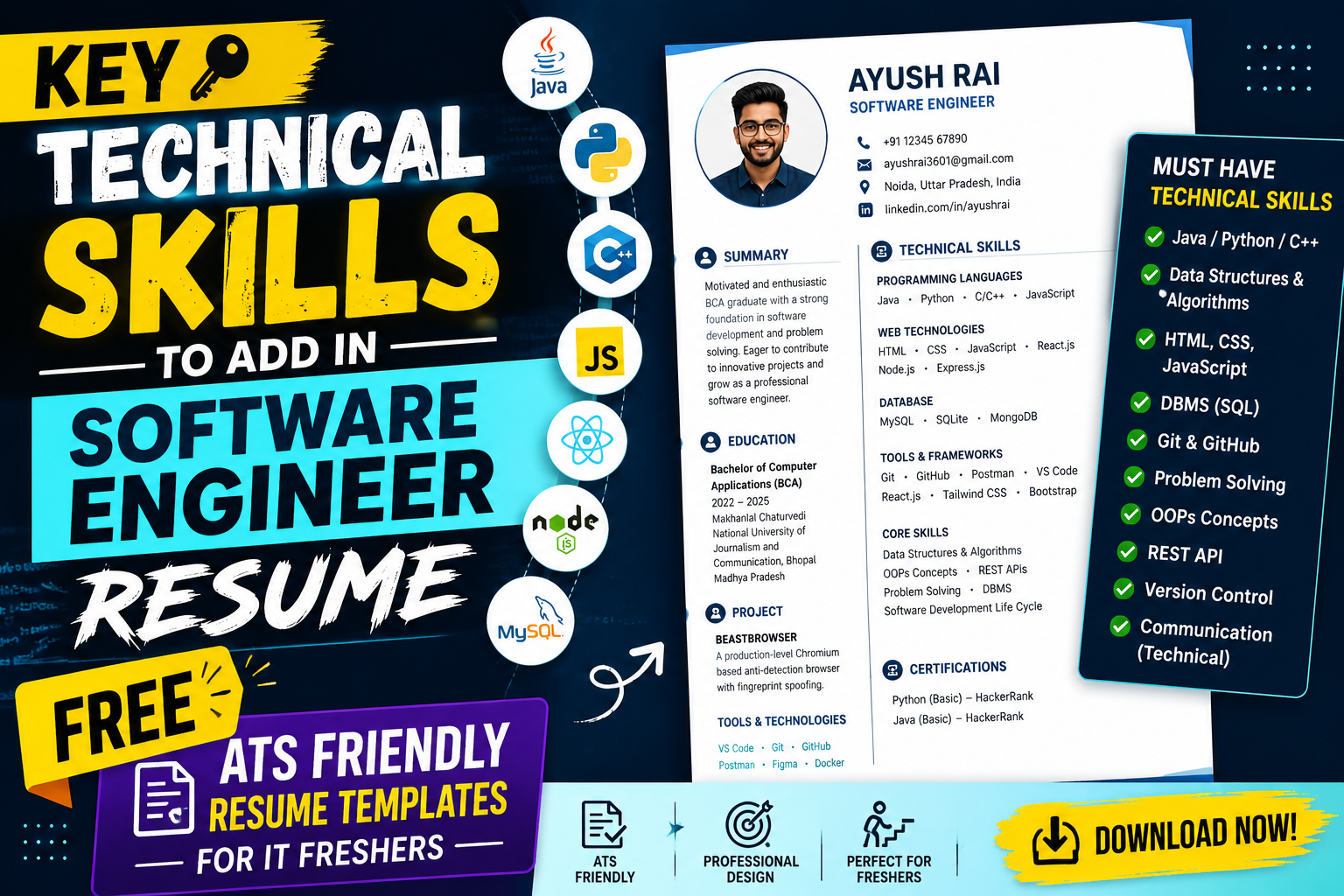
A balanced software engineering resume should cover several distinct areas of technology. Here is a breakdown of the core categories you need to represent.
1. Programming Languages
These are the foundational building blocks of your resume. You should list languages you can confidently use in a technical interview.
- Examples: Java, Python, JavaScript, C++, C, TypeScript, Go.
- Application: Specify your proficiency implicitly by the order in which you list them. Always put your strongest language first.
2. Frameworks and Libraries
Languages write the logic, but frameworks scale the application. Listing relevant frameworks proves you can work efficiently within established industry standards.
- Examples: React, Angular, Spring Boot, Django, Node.js, Express.
3. Databases and Data Storage
Almost every real-world application requires storing and retrieving information. Understanding how data flows is critical for both frontend and backend developers.
- Examples: MySQL, PostgreSQL, MongoDB, Redis, SQL Server.
4. Tools, DevOps, and Platforms
Writing code is only half the battle; deploying and managing it is the other half. Show that you know how to work within modern engineering environments.
- Examples: Git, GitHub, Docker, AWS, Jenkins, Linux.
How Technical Skills Work in the Hiring Process
When a company posts a job opening, the hiring team enters a set of required keywords into their ATS platform. For a backend engineering role, they might input “Python,” “Django,” “SQL,” and “Git.”
When your resume enters the system, the software parses the text and assigns a match score based on how frequently and accurately those keywords appear in relation to the job description. Resumes that score above a certain threshold are forwarded to the recruitment team. A recruiter will then scan the technical skills section to verify context before looking at your professional experience or personal projects to see how you applied those tools in real scenarios.
Practical Examples of Skill Placement
Let’s look at a realistic scenario. Imagine a fresher who has built a few personal web applications during college. Instead of listing every single concept they touched during a weekend tutorial, they should group their skills to reflect their actual project builds.
If you built an online bookstore application using Java, MySQL, and Git, those skills belong directly at the top of your technical skills block. Someone reading your resume should see “Java” in your skills list and immediately find a corresponding project in your experience section that utilizes Java to solve a problem.
Step-by-Step Guide to Optimizing Your Skills Section
Follow these steps to structure your technical skills section effectively:
Step 1: Analyze the Target Job Description
Before touching your resume, read through three or four job descriptions for roles you want. Highlight the technical terms that appear repeatedly. If every job mention requires “REST APIs” and “PostgreSQL,” these are clues about what needs to be prominent on your document.
Step 2: Categorize Your Skills Cleanly
Avoid a massive wall of text. Group your skills using clear headers like Languages, Frameworks, Databases, and Developer Tools.
Step 3: Order by Relevance
Place your most proficient and relevant skills at the front of each category. If you are applying for a Python Developer role, your language line should read: Python, JavaScript, SQL, C++ rather than leading with languages you haven’t used in years.
Step 4: Validate via Project Descriptions
For the top 3-4 skills you list, make sure there is at least one bullet point in your experience or projects section explaining how you used that skill to build a feature, fix a bug, or optimize performance.
Benefits of a Structured Skills Section
- Improved ATS Parsing: Clean categories make it easier for automated parsers to read and index your technical keywords correctly.
- Recruiter Efficiency: Hiring managers can evaluate your technical alignment in less than ten seconds.
- Interview Alignment: It sets clear expectations for the interview. If you list a skill clearly, the interviewer knows it is fair game for technical questions.
Limitations to Keep in Mind
While adding the right keywords is essential, a skills section cannot save a resume that lacks substance elsewhere. You cannot simply list a tool because you watched a 20-minute video overview of it. If an interviewer asks you to explain the difference between a relational database and a non-relational database because you listed both MySQL and MongoDB, you must be able to answer clearly. Listing skills you cannot explain creates a massive trust deficit during the technical interview stage.
Pros and Cons of Different Layout Formats
| Format Style | Pros | Cons |
| Categorized Rows | Highly readable, excellent for ATS software, clean look. | Takes up more vertical space on a single-page resume. |
| Single Block List | Saves significant space on the page. | Hard for human eyes to scan quickly; looks chaotic. |
| Skill Proficiency Bars | Visual elements break up dark text blocks. | Horrible for ATS parsing; subjective metrics (e.g., “80% Java” means nothing to a hiring team). |
Technical Skills vs. Soft Skills on a Software Resume
A common debate is whether to include soft skills like “Communication,” “Teamwork,” or “Problem Solving” in the technical skills table.
| Attribute | Technical Skills | Soft Skills |
| Measurement | Verified through code execution, system design, and technical quizzes. | Verified through behavioral interview questions and situational examples. |
| Resume Placement | Placed in a dedicated, categorized list for quick reference. | Woven naturally into project descriptions and work experience bullet points. |
| ATS Impact | High keyword weight for automated filters. | Low to minimal weight for baseline technical filtering. |
Best Tools to Help You Format Your Resume
- ReactiveResume: A free, open-source resume builder that generates clean, structured JSON-based resumes that parse cleanly across major ATS systems.
- Novoresume: Excellent for clean, professional layouts, though you need to watch out for complex multi-column designs that might confuse older parsing platforms.
- Overleaf (LaTeX): The industry favorite for software engineers who want total control over text formatting and margin structure without layout shifting issues.
Common Mistakes Users Make
- Keyword Stuffing: Listing every framework under the sun hoping to trigger an ATS match. If you list 25 languages but your experience section only shows simple HTML pages, it raises red flags.
- Using Subjective Progress Bars: Avoid using graphic bars indicating you are “85% proficient in C++.” These metrics are meaningless and take up valuable space that could be used for text descriptions.
- Outdated Skills: Listing technologies that are no longer relevant to modern development environments unless you are applying specifically for a legacy system maintenance role.
Frequently Asked Questions
1. Should I include HTML and CSS on a backend engineer resume?
You can, but keep them at the very end of your skills list. Backend roles prioritize system logic, databases, and APIs over presentation layers.
2. Can I list a skill if I only used it for a single college project?
Yes, provided you can talk about that project comfortably. If asked how it was integrated, you must be able to describe your contribution and how the tool worked within the project.
3. How many programming languages should I list?
Focus on quality over quantity. Two to four languages that you understand deeply look much better than a list of ten languages you only know the basic syntax for.
4. Is it necessary to list Git on a software engineering resume?
Yes. Git is the universal standard for version control. Listing it shows you understand how professional engineering teams collaborate and manage codebases.
5. Should I separate my skills into “Expert” and “Beginner” categories?
It is generally safer to group them by technology type (e.g., Languages, Frameworks) rather than proficiency. Grouping by proficiency highlights what you don’t know well.
6. Do cloud skills like AWS matter for freshers?
Absolutely. Even a basic understanding of cloud deployment concepts or a simple project hosted on AWS or cloud hosting platforms can make an entry-level resume stand out.
7. Should SQL be listed as a language or a database skill?
You can list SQL under languages, or list specific database engines like MySQL or PostgreSQL under a dedicated “Databases” header. Either approach works well for tracking software.
8. Does the order of skills matter to an ATS?
The order matters more to the human recruiter who reads it next. Put the technologies explicitly listed in the job description at the front of your lists.
9. Should I include IDEs like VS Code or IntelliJ in my tools list?
It is usually unnecessary. Knowing how to use a specific text editor is expected; save that space for high-value engineering tools like Docker, Git, or Linux command-line utilities.
10. How often should I update the technical skills on my resume?
Review your skills section every few months or whenever you complete a major project that introduced a new architecture, tool, or development methodology into your workflow.
Final Thoughts
Your technical skills section acts as a gateway. Its primary job is to get your resume past the initial automated filters and prove to a recruiter that you speak the same technical language as their engineering team.
If you are a web developer, ensure your frontend and backend tools match the current landscape. If you are focused entirely on system automation or data pipelines, emphasize your query languages and infrastructure utilities. Customize this section for every application, keep your formatting clean, and ensure you can back up every single word on the page during a live coding interview.