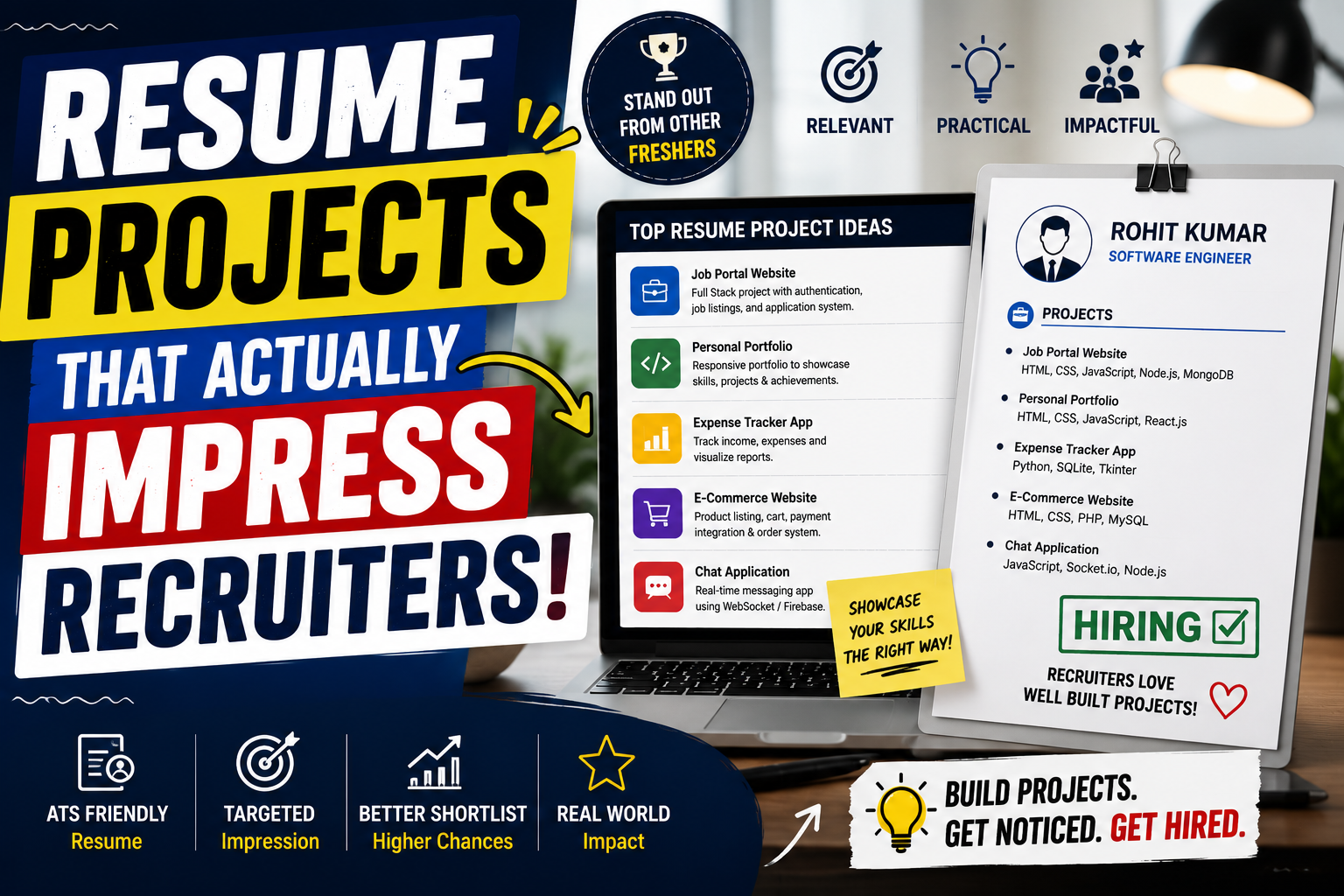
Every week, tech recruiters scan hundreds of resumes that look almost identical. A hiring manager opens a portfolio, scrolls past the contact information, and sees the same handful of portfolio items: a basic To-Do list, a simple weather app fetching a single public API, or a cloned landing page built directly from a video tutorial.
While these starter builds are great for learning syntax, they rarely show a recruiter that you can handle real production code.
When a team hires an entry-level or junior developer, they are looking for evidence that you understand real-world problems. They want to see that you can handle user authorization, build asynchronous background jobs, design clean database schemas, and deploy a live system that doesn’t break when unexpected data enters the pipeline. Building projects that highlight these core engineering concepts is what separates candidates who get ghosted from candidates who land screening calls.
Quick Summary Box
| Feature | Details |
| Best For | Computer Science students, boot camp graduates, and self-taught developers |
| Price / Cost | Free to build (using free-tier cloud tools like Vercel, Render, or Supabase) |
| Difficulty Level | Intermediate to Advanced |
| Key Benefits | Demonstrates production-ready skills, system design knowledge, and real problem-solving |
What Are Recruiter-Impressive Resume Projects?
A recruiter-impressive resume project is a software application designed to solve a realistic technical challenge rather than demonstrate basic syntax. Instead of focusing solely on how pretty the user interface looks, these projects emphasize architecture, backend reliability, performance optimization, and practical utility.
Most tutorial projects teach you how to write code in a sandbox where everything goes right. Impressive projects show how you handle things when they go wrong—like managing API rate limits, handling database concurrency, or setting up secure user authentication.
Why Recruiters Look Past Generic Tutorial Builds
- Quick Summary Box
- What Are Recruiter-Impressive Resume Projects?
- Why Recruiters Look Past Generic Tutorial Builds
- Key Features of Standout Portfolio Projects
- How Impressive Projects Work in the Hiring Pipeline
- Practical Use Cases: 4 Resume Projects That Work
- Step-by-Step Guide: Building a Recruiter-Ready Project
- Key Benefits of Custom Portfolio Builds
- Real Limitations & Challenges to Consider
- Pros and Cons Comparison
- Project Type Comparison Table
- Best Alternatives to Solo Projects
- Common Mistakes Candidates Make
- Frequently Asked Questions
- 1. How many projects should I put on my resume?
- 2. Do I need to host my projects on live URLs?
- 3. Is it okay to include projects built during a boot camp or university course?
- 4. What if my live project goes down because of free-tier hosting limits?
- 5. Should I use complex frameworks or vanilla JavaScript/Python?
- 6. Do non-technical recruiters actually open GitHub links?
- 7. How should I describe my projects on my resume bullet points?
- 8. Should I include unit testing in my portfolio projects?
- 9. Are UI design and styling important for backend-focused roles?
- 10. Can I build a mobile application instead of a web application?
- Final Thoughts
Recruiters and engineering managers view dozens of resumes every day. When every second applicant lists a “Movie Search App” built by following a step-by-step video, recruiters quickly learn that the project proves tutorial-following capability rather than independent problem-solving.
+-------------------------------------------------------+
|                TUTORIAL CLONE                         |
|  • Single public API endpoint                         |
|  • No database or authentication                      |
|  • Localhost execution only                           |
|  • Copy-pasted UI components                          |
+-------------------------------------------------------+
                           VS
+-------------------------------------------------------+
|             RECRUITER-IMPRESSIVE BUILD                |
|  • Authentication & Role-Based Access                 |
|  • Custom backend with database caching               |
|  • Live deployment with CI/CD pipeline                |
|  • Clear documentation & architectural diagram        |
+-------------------------------------------------------+
When you showcase a build that handles state management, processes background tasks, or integrates multi-tenant role permissions, you demonstrate that you can contribute to a professional codebase from day one.
Key Features of Standout Portfolio Projects
If you want a project to grab attention, ensure it incorporates at least two or three of these core features:
- Database Management: Utilize proper relational schemas with foreign keys, index optimization, or clean document structures with object data modeling (ODM).
- External API Integration: Handle webhook payloads, manage API rate limits, and implement graceful error handling.
- Asynchronous Jobs & Queues: Use tools like Redis or RabbitMQ for heavy background tasks like sending email notifications or processing files.
- Testing & CI/CD: Include unit tests (using frameworks like Jest or PyTest) and automated deployment pipelines via GitHub Actions.
How Impressive Projects Work in the Hiring Pipeline
When a hiring manager clicks the live link or GitHub repository on your resume, they usually perform a quick 30-second audit:
[Resume Link] ➔ [GitHub Repository] ➔ [README.md Checklist]
                                            │
               ┌────────────────────────────┴────────────────────────────┐
               ▼                                                         ▼
    [Missing / Bare README]                                    [Detailed Architecture]
    • No live demo link                                       • System diagram included
    • No build instructions                                   • Decisions & trade-offs explained
    • Hardcoded secrets                                       • Live link works smoothly
               │                                                         │
               ▼                                                         ▼
     (Recruiter Closes Tab)                                    (Selected for Interview)
- The Live Demo Check: They click the deployed site link. If it loads quickly and functions without breaking on mobile, you immediately pass the first filter.
- The README Audit: They open your repository. A clear
README.mdwith an architectural diagram, tech stack breakdown, setup steps, and key engineering trade-offs shows high professional maturity. - Code Quality Inspection: They skim folder structures and key API controllers to check for modularity, clean naming conventions, and environment variable protection.
Practical Use Cases: 4 Resume Projects That Work
Here are four structured project ideas that showcase practical development capability.
1. Role-Based Resource Management System
Instead of a simple To-Do tracker, build an internal management system where different users have distinct permissions (e.g., Managers can edit tasks, Employees can only view/complete assigned tasks).
- Tech Stack: Node.js/Express or Python/FastAPI, PostgreSQL, React or Next.js.
- Key Challenge Handled: Secure token verification, database transaction safety, and route protection middleware.
2. High-Volume API Rate Limiter / Middleware Service
Build a middleware service that tracks user IP addresses or API keys to throttle excessive incoming traffic.
- Tech Stack: Go or Node.js, Redis.
- Key Challenge Handled: Fast in-memory data retrieval, sliding-window algorithms, and concurrency management.
3. Automated Web Scraper & Alert System
Create a background service that routinely monitors a product page or real estate listing for price drops and notifies users via email or Webhooks.
- Tech Stack: Python (BeautifulSoup/Playwright), Celery/Redis, PostgreSQL, SendGrid API.
- Key Challenge Handled: Task scheduling, handling network timeouts, and managing dynamic rendering.
4. Real-Time Collaborative Workspace
Develop a real-time collaborative document or canvas editor where multiple users can work on the same view simultaneously.
- Tech Stack: WebSocket protocol, Node.js, React, Redis Pub/Sub.
- Key Challenge Handled: Conflict resolution, persistent WebSocket connections, and real-time state synchronization.
Step-by-Step Guide: Building a Recruiter-Ready Project
Building an impressive project requires deliberate planning. Follow this framework from initial design to live deployment.
  ┌─────────────────┐      ┌─────────────────┐      ┌─────────────────┐
  │  1. Architecture │ ───►│   2. API & Data │ ───►│  3. Frontend &  │
  │     Planning    │      │    Development  │      │   Integration   │
  └─────────────────┘      └─────────────────┘      └─────────────────┘
                                                             │
  ┌─────────────────┐      ┌─────────────────┐               │
  │ 5. Deployment & │ ◄───│  4. Testing &   │ ◄─────────────┘
  │  Documentation  │      │   Refactoring   │
  └─────────────────┘      └─────────────────┘
Step 1: Define the Domain & System Architecture
Sketch out your system before writing code. Identify what data model you need, which database fits best, and how components communicate.
Step 2: Build the Core API & Database Layer
Set up clean CRUD endpoints. Make sure to validate all incoming data payloads before hitting your database.
- Use libraries like Zod (for JavaScript) or Pydantic (for Python) to sanitize user input.
- Implement custom error middleware to handle standard HTTP status codes (
400,401,404,500).
Step 3: Implement Authentication & Security Features
Avoid storing raw passwords. Always hash credentials using algorithms like bcrypt or Argon2.
- Hide private API keys inside
.envfiles and verify they are added to.gitignore.
Step 4: Add Automated Tests & CI/CD Pipeline
Write unit tests for major endpoints and critical helper functions.
- Set up a simple GitHub Actions workflow file that runs your test suite automatically every time you push code to
main.
Step 5: Deploy Live and Write Clear Documentation
Deploy your backend to Render or Railway, and your frontend to Vercel or Netlify.
- Write a standard
README.mdcontaining:- A project summary and live demo link.
- An architecture diagram showing how data flows.
- Instructions on how to run the project locally.
- Notable technical decisions or trade-offs you made during development.
Key Benefits of Custom Portfolio Builds
- Interview Talking Points: You can speak confidently during system design and technical rounds because you solved genuine engineering bottlenecks yourself.
- Demonstrated Independence: Showing that you can design, build, test, and deploy software indicates you require less hand-holding on the job.
- Higher Callback Rates: Unique, well-documented applications stand out sharply against standardized classroom projects.
Real Limitations & Challenges to Consider
While custom projects are valuable, it is important to stay realistic about what they can achieve:
- Time Investment: Building a complete application with tests and documentation takes significantly longer than following a tutorial series.
- Cost Constraints: Keeping complex infrastructure running continuously on cloud platforms can get expensive if you exceed free-tier usage limits.
- Recruiter Scanning Habits: Some non-technical recruiters only check for exact buzzword matches on your resume and may never open your GitHub link.
Pros and Cons Comparison
| Pros | Cons |
| Shows deep understanding of real development workflows | Takes considerably more time to complete |
| Gives you natural talking points for interviews | Requires learning tools outside standard course material |
| Proves capability in deployment, databases, and testing | Free hosting options may put backends to “sleep” after inactivity |
| Differentiates you from hundreds of generic applicants | Non-technical recruiters may not evaluate code quality directly |
Project Type Comparison Table
| Project Type | Effort Level | Recruiter Impact | What It Demonstrates |
| To-Do / Calculator App | Low (1-2 days) | Very Low | Basic syntax and DOM manipulation |
| E-Commerce Frontend UI Clone | Medium (1 week) | Low to Medium | Component layout and static styling |
| Full-Stack SaaS App with Auth | High (2-4 weeks) | High | End-to-end integration, databases, state |
| Microservice with Task Queue | High (3-4 weeks) | Very High | System architecture, async processing, API design |
Best Alternatives to Solo Projects
If building a full application from scratch feels overwhelming, consider these practical alternatives that show strong engineering skills:
- Refactoring an Existing Codebase: Take an old project, rewrite the backend using clean architecture patterns, add unit tests, and document the performance improvements in the README.
- Building Developer Tools: Create a CLI tool, a VS Code extension, or a lightweight npm package that solves a specific task for other programmers.
Common Mistakes Candidates Make
- Neglecting the README: A candidate might spend weeks on a backend, but if the repository lacks a clear setup guide or live demo link, recruiters will move on.
- Committing Secret Keys: Accidental commits containing database passwords or payment tokens signal poor security awareness.
- Ignoring Edge Cases: Unhandled network dropouts or empty input states cause apps to crash during live recruiter demos.
- Over-Engineering Early: Attempting to build microservices or complex Kubernetes clusters before getting a simple core app running leads to unfinished work.
Frequently Asked Questions
1. How many projects should I put on my resume?
Two to three high-quality, well-documented projects are much better than six basic tutorial projects. Focus on depth over quantity.
2. Do I need to host my projects on live URLs?
Yes. Having a working live link makes it effortless for recruiters and hiring managers to evaluate your application in seconds.
3. Is it okay to include projects built during a boot camp or university course?
Yes, provided you heavily customize them. Add new features, change the architecture, add automated tests, or integrate a new API to make the build distinct.
4. What if my live project goes down because of free-tier hosting limits?
Add a note in your README explaining that the backend may take 30 to 50 seconds to spin up on initial load due to free-tier hosting, or include screenshots/GIFs demonstrating the app in action.
5. Should I use complex frameworks or vanilla JavaScript/Python?
Using modern production frameworks (like React, Next.js, FastAPI, or Express) shows you know the tools current teams use daily.
6. Do non-technical recruiters actually open GitHub links?
Many non-technical recruiters skim the project descriptions for key technologies. However, engineering managers almost always review your code and README before conducting technical interviews.
7. How should I describe my projects on my resume bullet points?
Use action verbs and highlight technical decisions: “Built a full-stack resource manager using Node.js and PostgreSQL, implementing JWT auth and automated Jest unit testing.”
8. Should I include unit testing in my portfolio projects?
Including unit or integration tests sets you apart from the vast majority of entry-level candidates, demonstrating professional habits.
9. Are UI design and styling important for backend-focused roles?
For backend roles, clean, functional, and simple styling is enough. Focus your documentation on database design, API security, and system reliability.
10. Can I build a mobile application instead of a web application?
Yes. Mobile apps built with React Native, Flutter, or native Swift/Kotlin are impressive, especially if published on app stores or distributed via TestFlight/APKs.
Final Thoughts
Building resume projects that genuinely impress recruiters isn’t about writing thousands of lines of complex code. It’s about demonstrating that you understand how real-world software operates, handles errors, and serves users reliably.
If you are a student or entry-level developer looking to land your first tech role, move away from basic tutorial clones. Focus on building one or two solid applications that feature clear user authentication, clean database schemas, error handling, and comprehensive documentation. That effort will speak volumes when your resume hits a hiring manager’s desk.